
How to Use Divi Projects Carousel Layout Pack
Step-by-Step Guide to Implementing Projects Layouts on Your Divi Website
Download the Pack
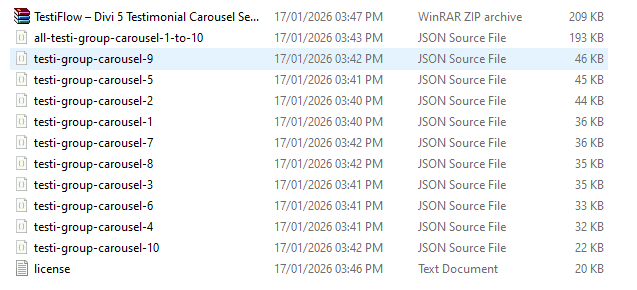
After purchasing, download the ZIP file and extract it to your computer.
Inside, you will find individual .json files for each section, along with one main all-sections layout .json file.
Step 1 - Set Up Your Projects
You will need to have at least 5 Projects published on your website in order for the Portfolio module to have information to display.
Check out the Online How to Set up WordPress Projects for Divi on Your Divi Website

Step 1 - Import to Divi Library
1. Go to WordPress Dashboard ⇾ Divi
2. Divi ⇾ Divi Library
3. Click the Import & Export
4. Select the Import tab.
5. Choose an individual JSON file or Select the all-divi-main-section-pack JSON file (which contains all sections).
6. Click on Import Divi Builder Layouts
Note : They’re labeled and named according to their categories, so they’re easy to identify.
Step 2 - Edit and Customize
1. Create a page (go to Pages → Add New) or edit an existing one.
2. Use the Divi Builder.
3. Click the Blue Plus Icon (Add New Section), then select Add From Library.
4. Select the category from the list, find your section, and click Use This Section to load it.
Frequently Asked Questions
Problems importing the layout?
If the importing process stops at 100%, or you have another problem, please make sure that you deactivate security plugins like Word fence while importing. Then it should work fine.
YouTube Tutorials (Installation Guide)
Explore our Video Guides for In-Depth Divi Layout Customization & Installation

Customer Support
If you encounter any issues, please don’t hesitate to get in touch with us.
Technical Support – Submit A Ticket
Email Support – support@layoutdivi.com or layoutdivi@gmail.com
Custom Job Inquiry – layoutdivi@gmail.com